
QTT OS / QTT Business Suite
QTT Business Suite
Your website, store and WhatsApp built and run for you
Choose what you need in the QTT OS app and see your design with your own business name before anything is built. QTT sets it up, hosts it and looks after it — and your team answers website and WhatsApp chats together from the same app.
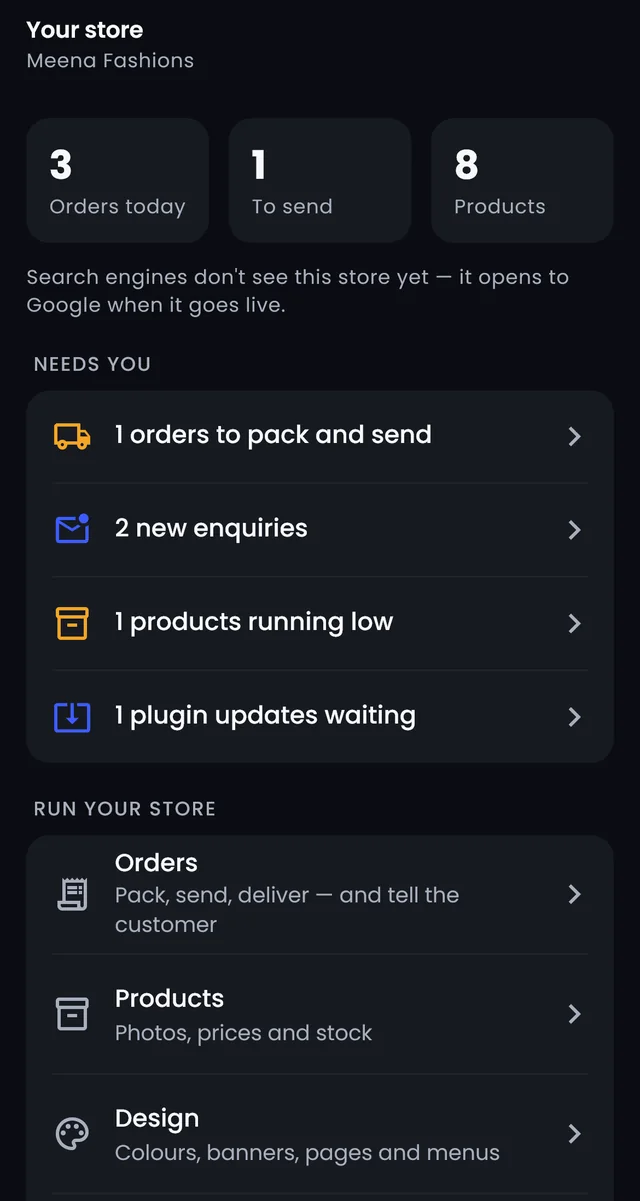
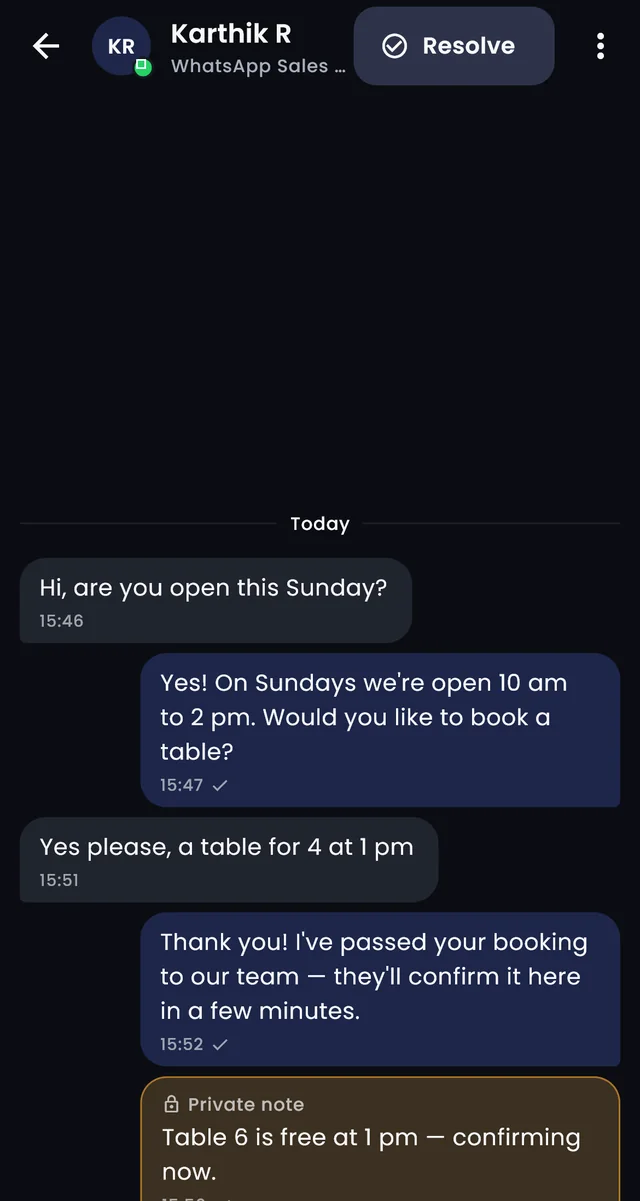
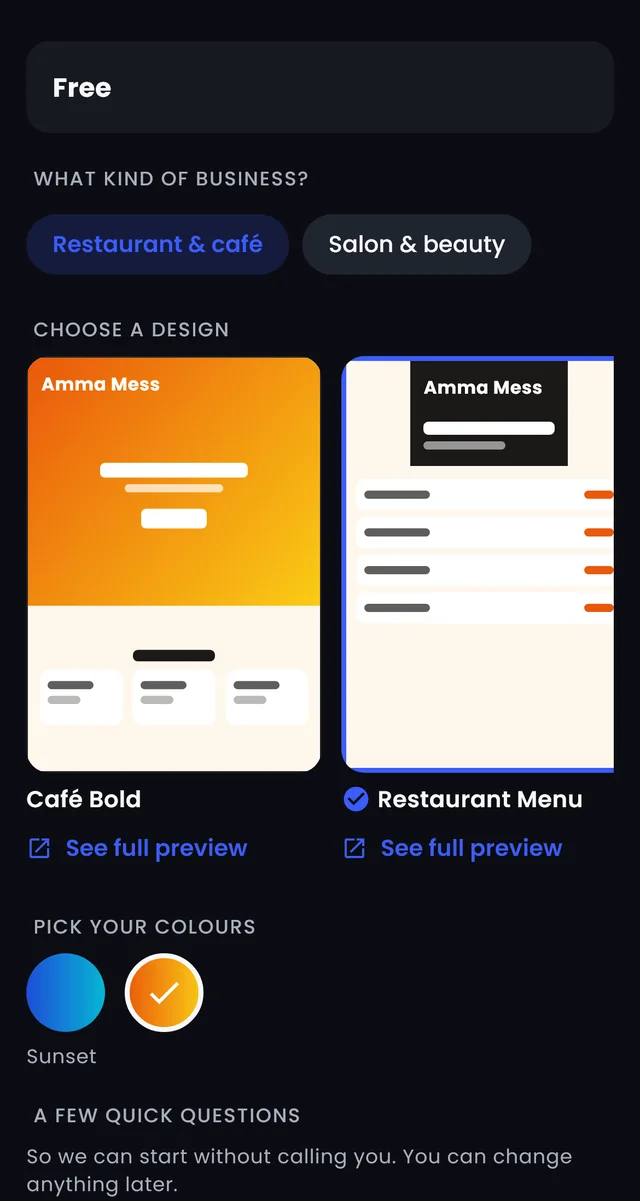
- See it before it's builtPick a design and colours; the preview shows your name.
- Set up and looked afterHosting, SSL, backups, updates and support by QTT.
- Changed from the appLogo, colours, words and photos — no website login.
- A team inbox includedWebsite and WhatsApp chats answered together.
Inside QTT Business Suite
What QTT Business Suite does
Choose
See your website before it's built
Pick your kind of business and a design, choose colours and type your business name — the previews update as you go. Write my website text drafts every section from your answers; you check every line.
- Designs for each kind of business
- Your name and colours in the preview
- Words in English, Tamil, Hindi or Arabic
Launch
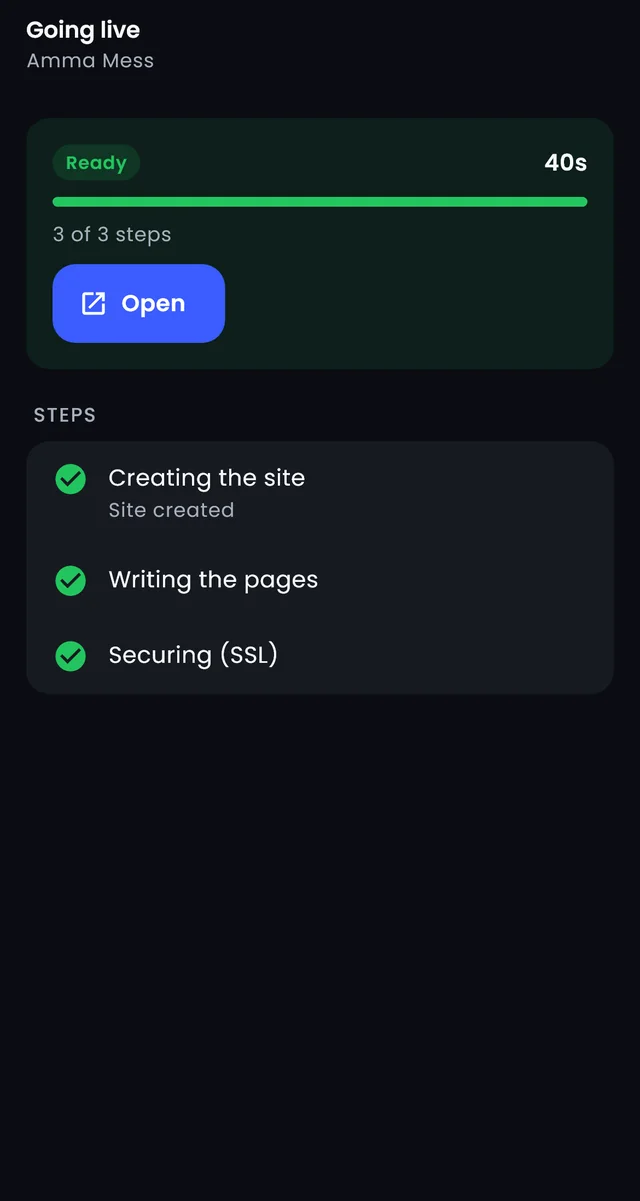
Watch it being set up
Once you order, each step shows as it happens — creating the site, writing the pages, securing it — and you approve the preview before your domain is connected.
- You approve the preview first
- Your own domain connected for you
- The status of every site and service in the app
How it works
From choosing to launching
Choose
A service and a plan in the QTT OS app.
Customise
Design, colours, your words and answers.
Set up
QTT builds it and shows each step.
Approve
Check the preview; QTT connects your domain.
Run
Answer chats and change things from the app.
The services
Choose what your business needs
Website Development
A professional website for your business — a landing page, 3 pages or 5 pages — designed, hosted, secured and looked after by QTT. You change it all from the QTT OS app.
- Choose before it's built
- Three sizes
- Your words, written with you
See Website Development
Managed E-Commerce Websites
We create, host, secure and manage your online store — in three plans by the size of your shop. You run it all from the QTT OS app.
- A real online store
- Run it from the app
- Store chat
See Managed E-Commerce Websites
AI & WhatsApp Automation
An AI receptionist on your WhatsApp plus the automations you choose — daily reports, payment reminders, staff check-ins, lead follow-up and more. Set up and run by QTT.
- Answers your customers
- Knows your prices and stock
- Hands over to your team
See AI & WhatsApp Automation
Marketing assistant
Posts for your Facebook, Instagram and other pages written for you every week — you approve, QTT posts them. Three packages.
- New ideas every week
- You approve everything
- Posted for you
See Marketing assistant
Plans for QTT Business Suite
Prices, free trials and what each plan includes — all on one page, always current.
Questions
How do I order?
In the QTT OS app: QTT Business Suite › Explore, then the service you want. The business owner orders; free services start at once and paid ones start when the first invoice is paid.
Can I change my website myself?
Yes. Logo, colours, words and photos are changed from the QTT OS app — there's no separate website login to remember.
Does the WhatsApp receptionist use my own number?
Yes. It answers on your own WhatsApp number, in your customer's language, and hands over to your team when it isn't sure or when a customer asks for a person.
Can I stop a service?
Yes. Stopping a service ends it at the end of the paid period, with no more invoices.
Open QTT Business Suite today
Sign in or create your business in a minute — on your phone or in your browser.