
QTT OS / Billing software
Billing software · GST billing, POS and stock
Billing software with GST, stock and accounts in one
Bill at the counter, send GST invoices, keep stock right across stores and see your profit and GST for any period — on your phone or in your browser. When you grow, the same app opens up sales orders, purchase orders, batches, budgets and manufacturing.
Free to start — see the plan Free to start — no card.
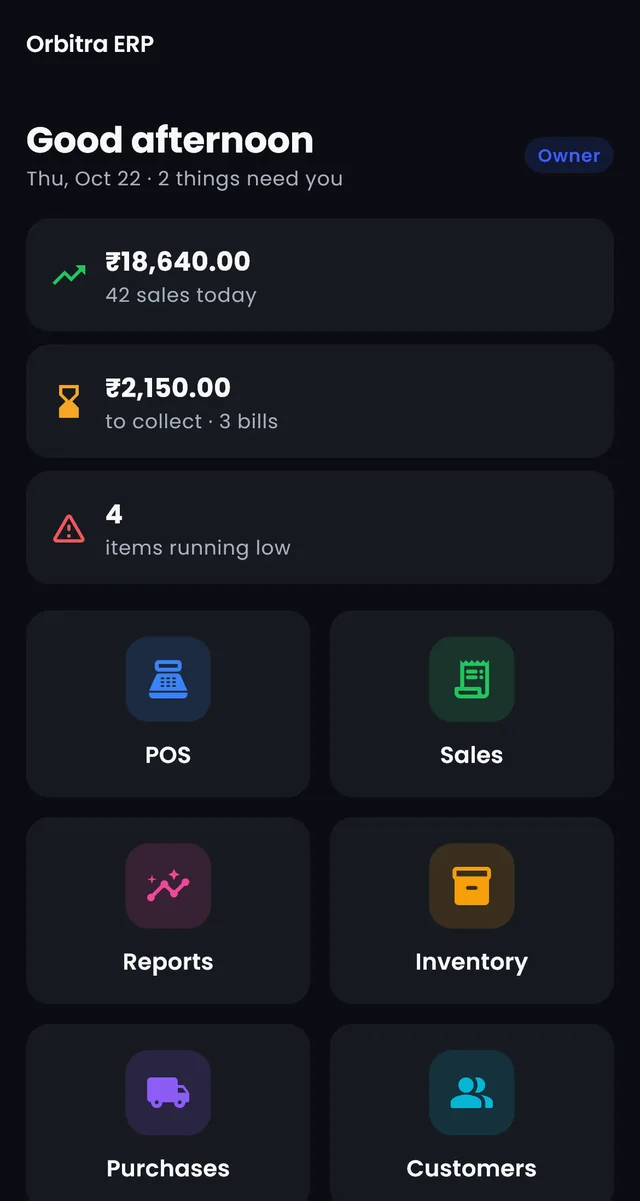
- Bill in secondsTap or scan items, take cash, UPI or card — or split a payment two ways.
- GST on every itemEach item carries its GST rate and HSN/SAC; the GST report does the sums.
- Access by roleCashiers sell, managers buy and report, the owner sees everything.
- Grows into a full ERPSales orders to manufacturing, in the same app, when you need them.
Inside billing software
What the billing software does
Point of sale
Bill at the counter in seconds
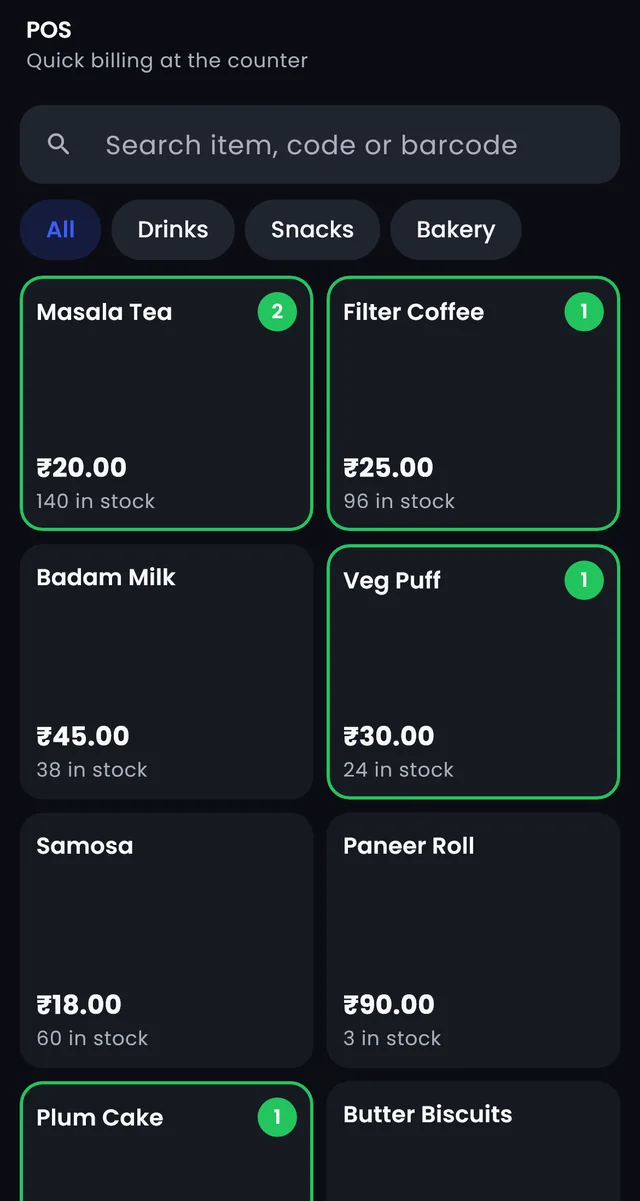
Tap items or scan a barcode, choose a customer or walk-in and take the payment. Change is worked out for you and every bill is saved as a PDF.
- Cash, UPI or card — or one bill paid two ways
- Any unpaid part stays on the customer's account
- Works on an Android phone or in the browser
Invoices and quotes
GST invoices, quotes and payments
Create invoices and quotes, take payments against them and share the PDF. A quote becomes an invoice in one tap, and returns go back as a credit note.
- See what's still to collect on every invoice
- Receive a payment by cash, UPI or card
- Credit notes for items taken back

Inventory
Stock you can trust, across stores
Items and services with price, cost, GST rate, HSN/SAC, barcode and a low-stock level. Add stock, count it and move it between stores — and see what's running low on the home screen.
- Low-stock alerts before you run out
- Stock counts and moves between stores
- Supplier bills bring stock in

Reports
Sales, GST and profit for any period
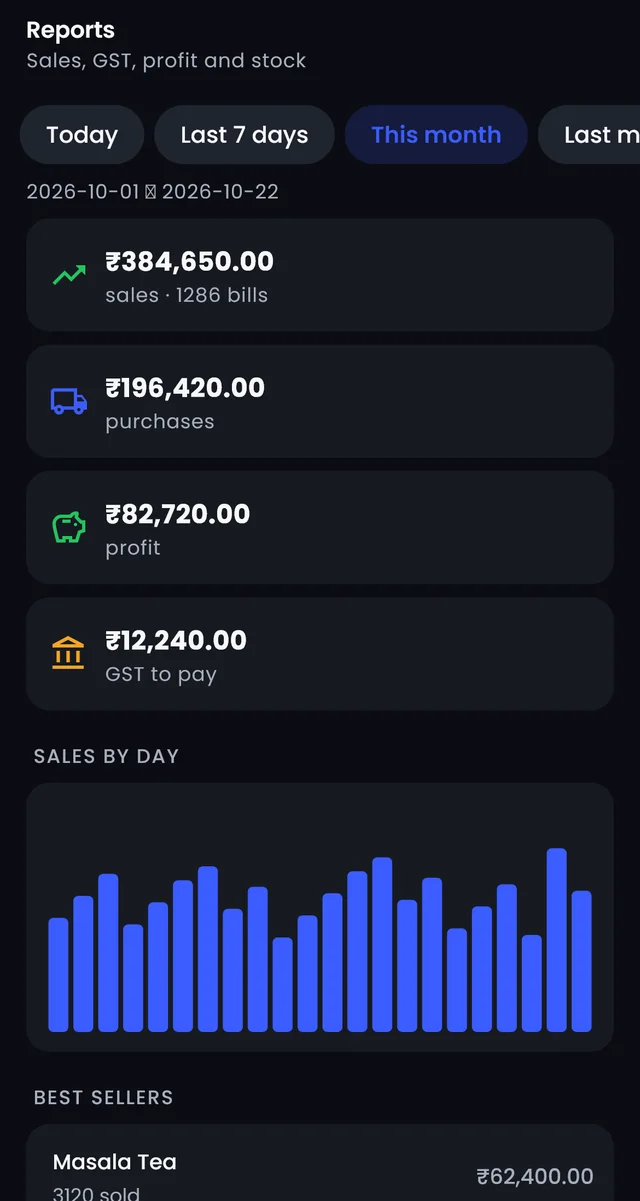
Pick today, this month or any period and see sales by day, best sellers and best customers, GST collected minus GST paid on purchases, profit and the value of stock in every store.
- GST to pay, worked out from your own bills
- Profit after the cost of goods
- Stock value per store
Business ERP
When billing isn't enough: the full ERP
Business ERP adds the documents a growing business runs on — each with search, drafts, submit and cancel, and the next document made for you from the last one.
- Sales orders → delivery notes → invoices; price lists and pricing rules
- Purchase orders → goods receipts; requests for quotation and supplier scorecards
- Batches, serial numbers, pick lists and landed cost
- Budgets, assets, bank reconciliation, balance sheet and cash flow
- Leads, opportunities, loyalty and a customer portal
- Bills of materials, work orders, quality inspections and maintenance
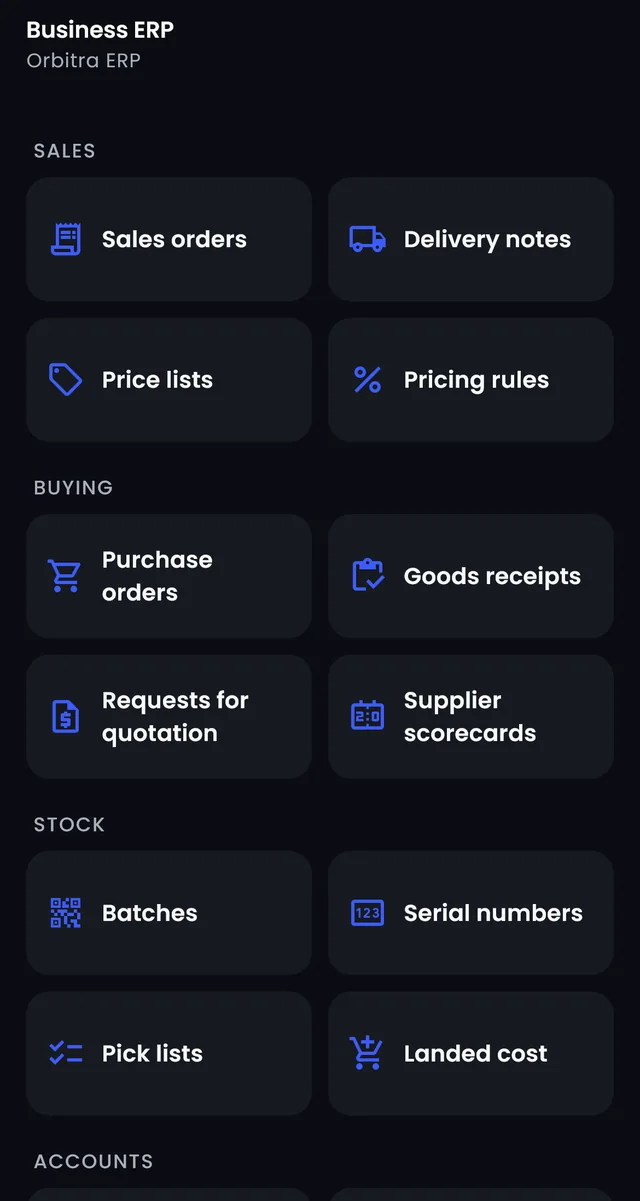
Business ERP modules come with the Standard and Business plans. Free to start — see the plan.
How it works
From the counter to your GST report
Sell
Bill at the counter or send an invoice.
Collect
Take cash, UPI or card; see who still owes you.
Restock
Supplier bills bring stock in; low-stock alerts tell you when to buy.
Review
Sales, GST and profit for any period.
Also in billing software
Purchases and suppliers
Supplier bills, what you owe, and paying suppliers from the app.
Accounts
Money in and out, shop expenses, cash and bank, and who owes whom.
Customers
One customer list, each with their invoices and what they owe.
Many stores
Stock and sales for each store or branch.
Roles and access
The owner decides what a Manager or a Cashier may use.
Android and web
The same business on your phone and in any browser.
Billing software is free to start
Then one plan covers all 8 apps — the free amounts, what the plan includes and top-ups, all on one page, always current.
Questions
Does it make GST invoices?
Yes. Items carry their GST rate and HSN/SAC code, and the GST report shows what you collected minus what you paid on purchases.
Can my cashier use it without seeing the accounts?
Yes. Cashiers use POS, sales and customers; managers add purchases and reports; the ERP admin sees everything. The owner can change what each role may do.
Can I take UPI and split payments?
Yes — cash, UPI or card, or a payment split two ways. Any unpaid part stays on the customer's account.
Start free in the app today
Sign in or create your business in a minute — on your phone or in your browser. Free to start — no card.