
QTT OS / QTT Business Suite / Business website
Website for business · online in minutes
A website for your business, online in minutes
No agency meetings, no weeks of waiting. Choose a design in the QTT OS app, see it with your own business name, and QTT's servers build it for you — the preview is online in about a minute. Approve it and it's live on your own domain; change words, photos and colours from the app whenever you like.
Free to start — see the plan Free to start — part of the one plan.
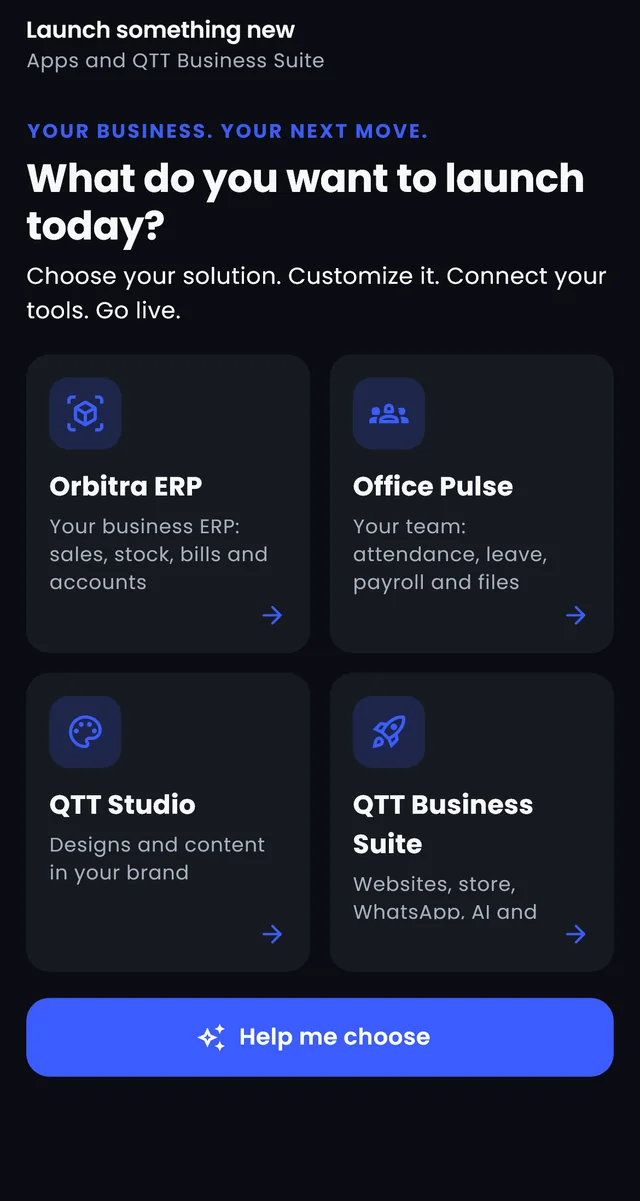
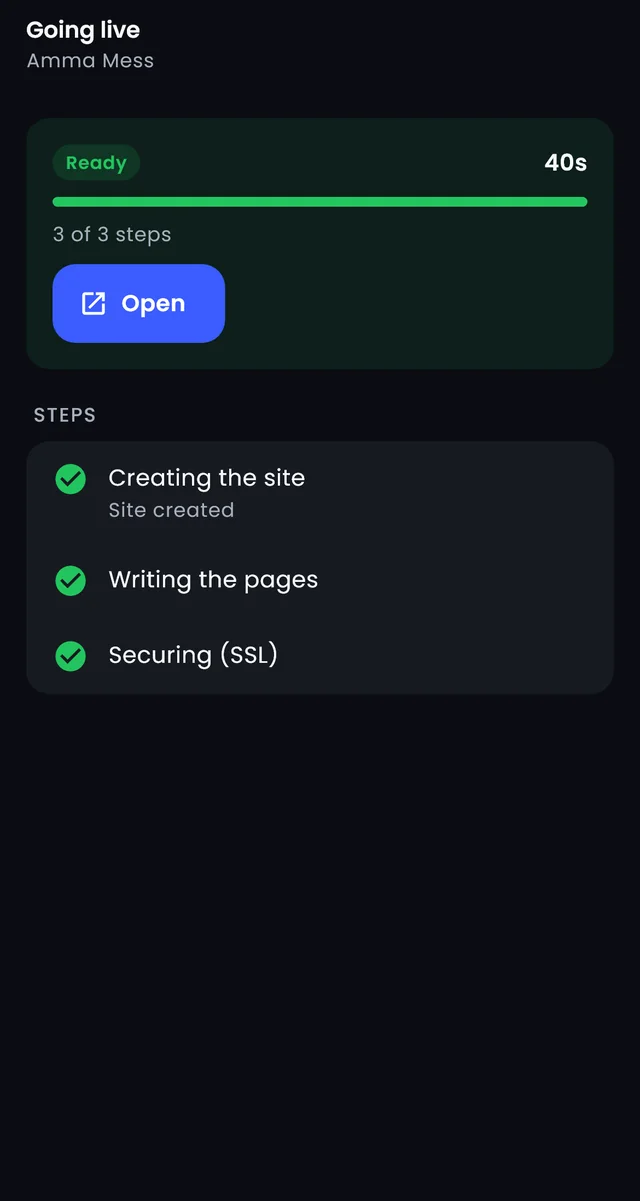
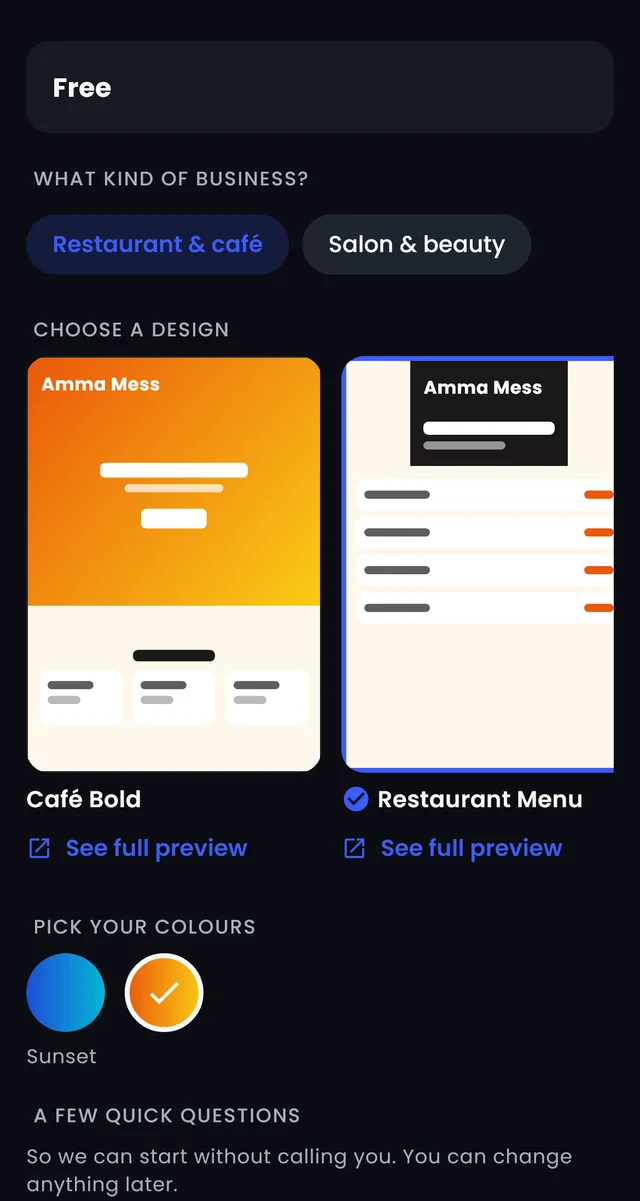
- Built by itselfThe design you chose, built automatically — not a project with weeks of back-and-forth.
- Your name in the designChoose a design and colours; the preview shows your business.
- Words written with youWrite my website text drafts every section from your answers.
- Looked afterHosting, SSL, nightly backups, updates and support from QTT.
- 54 sWebsite preview onlinemedian build time
- ≈ 2 minLive on your addressafter you approve the preview
- 0Website logins to rememberyou change it from the QTT OS app
Website and store times are the median of QTT's own set-ups so far, from the moment the build starts.
Inside business website
What the business website does
Choose
See it with your name before it's built
Pick your kind of business and a design, choose colours and type your business name — the previews update as you go. A landing page, 3 pages or 5 pages.
- Designs made for each kind of business
- Your colours and name in the preview
- Words in English, Tamil, Hindi or Arabic — you check every line
Build
Built and online in minutes
Once you order, QTT's servers create the site, write the pages and secure it with SSL — every step shows in the app as it happens. In QTT's own set-ups the preview was online in under a minute.
- You approve the preview before it goes live
- Your own domain connected for you
- The status of every site in the app
Enquiries
Every visitor's question, answered by your team
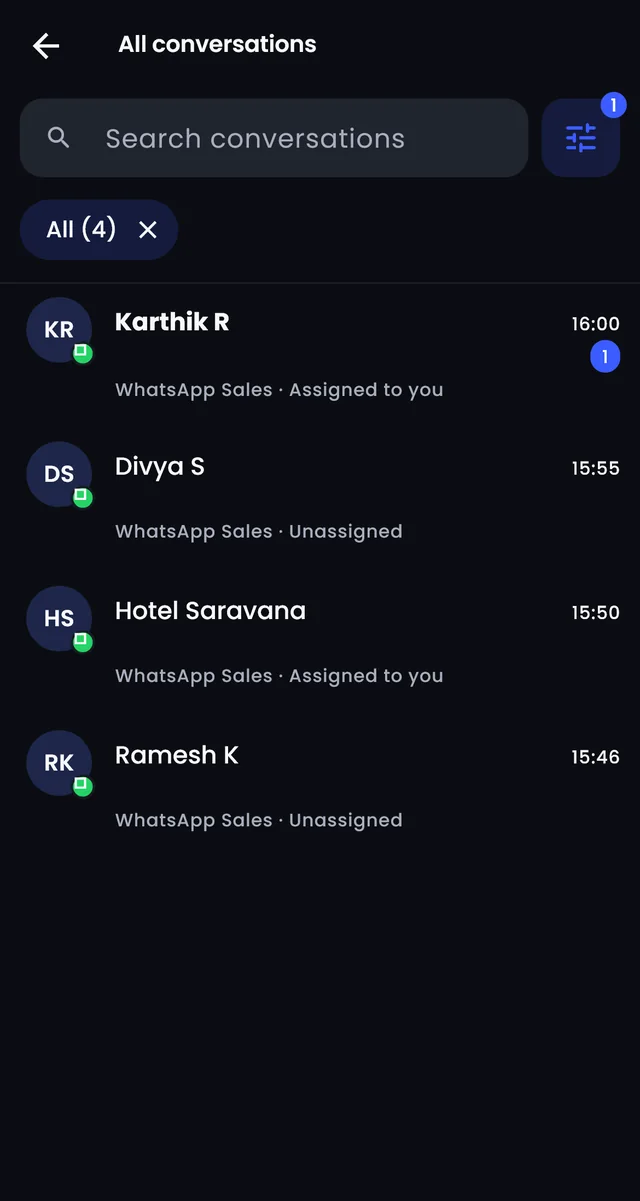
Website chat lands in the team inbox in the QTT OS app, so anyone on your team can pick it up — with WhatsApp in the same inbox when you add WhatsApp.
- Assign a chat to someone
- Private notes the customer never sees
- Each customer's history in one place
How it works
From choosing to live
Choose
A design, your colours and your business name.
Order
In the QTT OS app — the owner orders.
Built
QTT's servers build it; the preview is online in minutes.
Approve
Check the preview; QTT connects your domain.
Change
Words, photos and colours from the app, any time.
Also in business website
Three sizes
A landing page for an offer, 3 pages or 5 pages.
Write my website text
Every section drafted from your answers; you check every line.
Business email
An add-on: email at your own domain.
Google Business profile
An add-on: set up so people find you on maps.
Move my existing website
An add-on: bring the site you have across.
Hosting and care
Hosting, SSL, nightly backups, updates and support.
Business website is free to start
Then one plan covers all 8 apps — the free amounts, what the plan includes and top-ups, all on one page, always current.
Questions
How fast is it really?
In QTT's own set-ups so far, the preview was online about a minute after the build started (median 54 seconds) and the live site about two minutes after approval. Ordering, paying and approving the preview are up to you.
Can I change the website myself?
Yes. Logo, colours, words and photos are changed from the QTT OS app — there's no separate website login to remember.
Do I need my own domain?
Your site is on a preview address first. When you approve it, QTT connects your own domain.
Can I stop any time?
Yes. Stopping a service ends it at the end of the paid period, with no more invoices.
Start free in the app today
Sign in or create your business in a minute — on your phone or in your browser. Free to start — part of the one plan.