
QTT OS / HR software
HR software · attendance app and payroll
HR software for attendance, leave and payroll
Your team checks in from their phones — at the office or wherever you allow — asks for leave and claims expenses, and managers approve from theirs. HR runs payroll and everyone gets their payslip in the app.
Free to start — see the plan Free to start — no card.
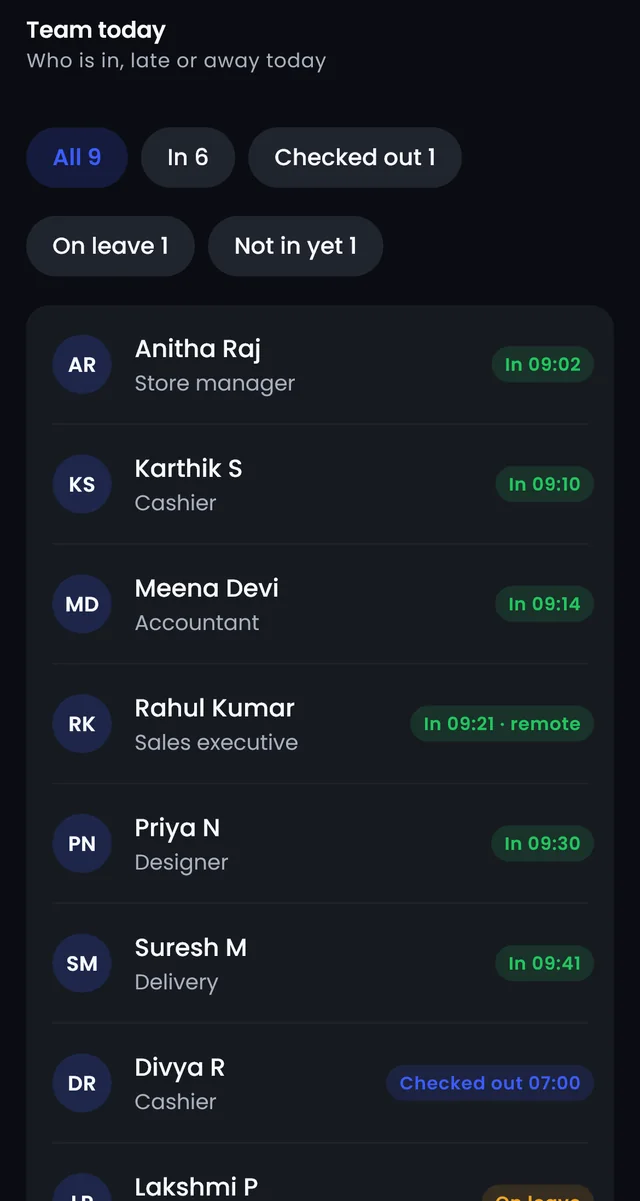
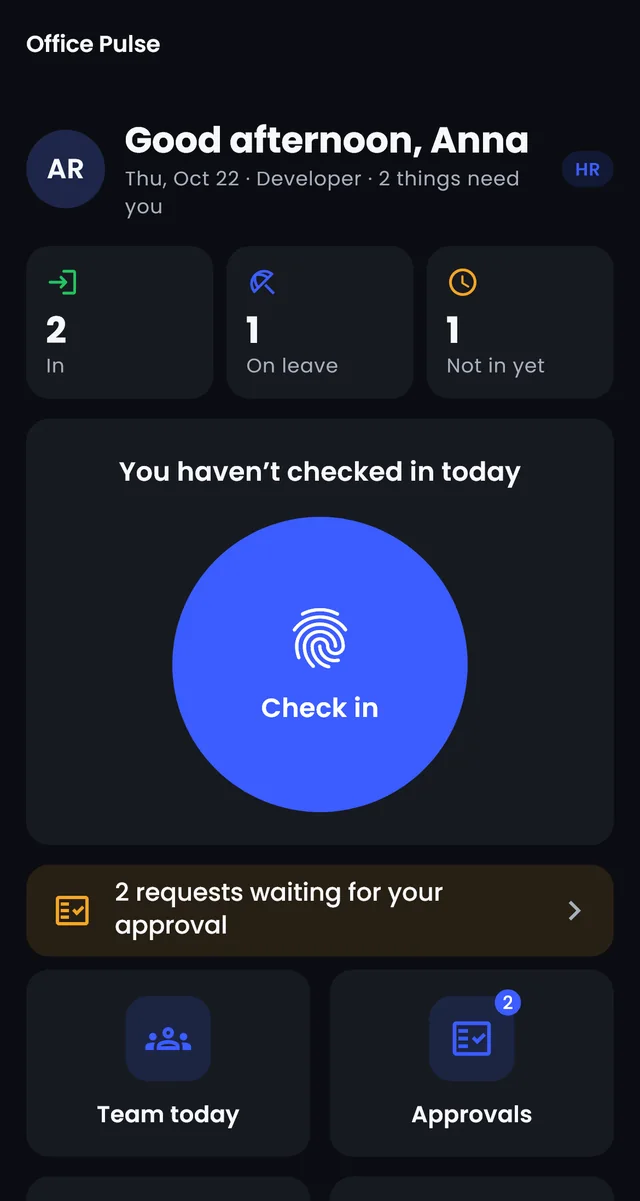
- GPS check-inInside the office radius, or remote with a reason when you allow it.
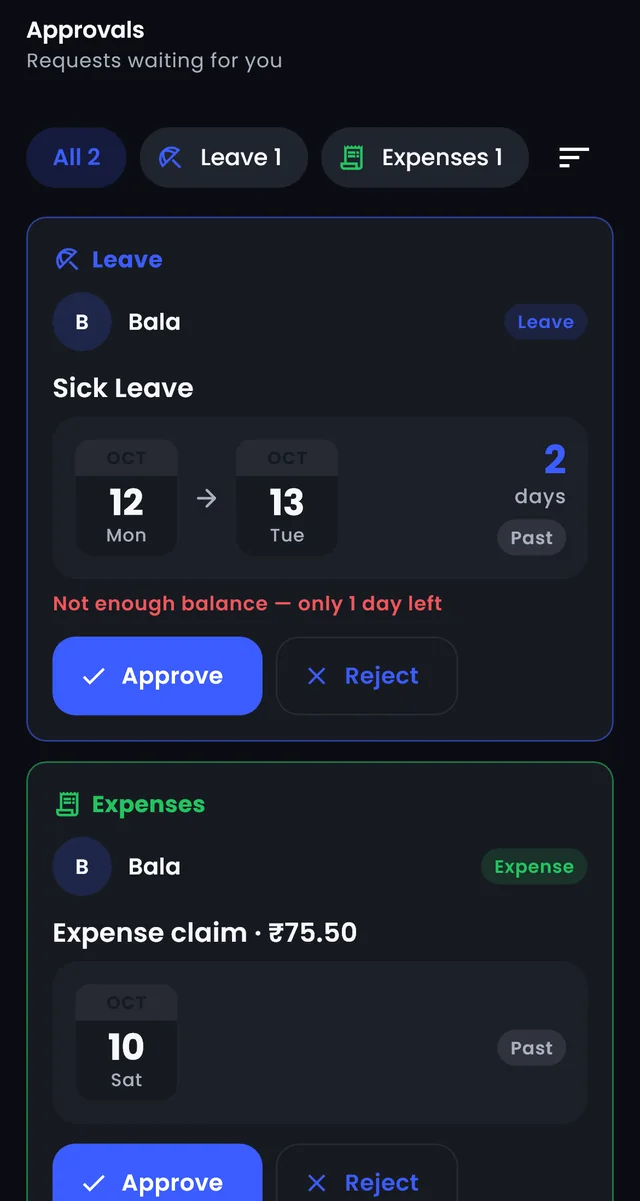
- Approvals on the phoneLeave, work from home and expenses — one tap for the manager.
- Payroll with payslipsHR Admins run payroll; everyone sees their own payslips.
- The team's work in one placeFiles, boards, notes, forms, calendar and mail beside attendance.
Inside HR software
What the HR software does
Attendance
Check-in that knows where the office is
Staff check in and out from their phone. Set your offices and they must be inside the office radius; allow remote check-in and they add a reason, marked remote. Biometric devices can send attendance too.
- Office radius from 50 to 1,000 metres
- Shifts, shift patterns and holiday calendars per team
- Attendance from biometric devices
Leave and requests
Requests approved from the manager's phone
Leave with balances per type and half days, work from home and on duty for chosen dates, and expense claims — the manager sees the balance before saying yes.
- Holidays and weekly offs left out of the count
- Work from home doesn't use leave
- Expense claims with the amount and date
Workplace
Your team's work beside their attendance
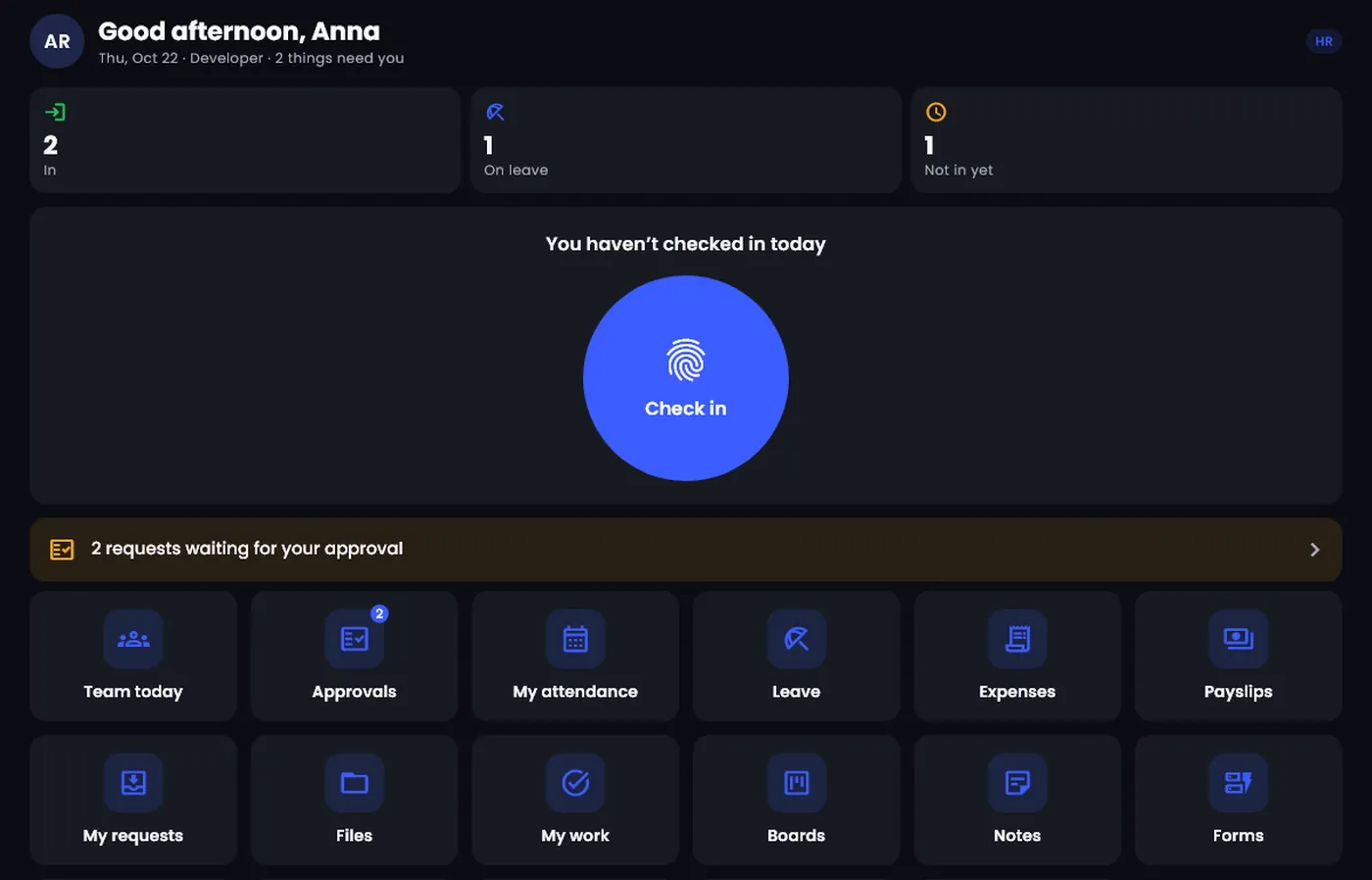
HR & staff brings the team's files and work into the same app: shared and personal files with sync to a computer, boards, notes, forms, whiteboards, a calendar, mail, contacts and remote help.
- Team files, my files and company documents
- Boards, notes, forms and whiteboards
- Remote help for the office computers
How it works
A working day in HR & staff
Check in
From the phone, inside the office radius.
Ask
Leave, work from home or an expense claim.
Approve
The manager decides from their phone.
Pay
HR runs payroll; payslips appear in the app.
Also in HR software
Payroll and payslips
Salary templates, monthly payroll runs and payslips for everyone.
Expenses
Claims with amounts and dates, approved in the same app.
Shifts and holidays
Shift patterns, rotations and holiday calendars per team or person.
Biometric devices
Attendance from the machines at your door.
Performance and hiring
Appraisals with KRAs, job openings, applicants and interviews.
Training
Training programmes, sessions and each person's skills.
HR software is free to start
Then one plan covers all 8 apps — the free amounts, what the plan includes and top-ups, all on one page, always current.
Questions
Can staff check in only at the office?
Yes. Set your offices and staff must be within the office radius to check in. If you allow it, they can check in elsewhere with a reason and it is marked remote.
Who approves leave?
Anyone with people reporting to them is a manager: they see their team today and approve their team's requests. HR can see everything.
Does it work with biometric attendance machines?
Yes, it can take attendance from biometric devices.
Start free in the app today
Sign in or create your business in a minute — on your phone or in your browser. Free to start — no card.