
QTT OS / QTT Business Suite / WhatsApp chatbot
WhatsApp automation · AI receptionist
WhatsApp chatbot for business on your own number
It answers your customers day and night, in their language, from what you teach it — hours, prices, delivery, bookings and your own answers. When it isn't sure, it passes the chat to your team in the QTT OS inbox. And the automations you pick run your mornings for you.
Free to start — see the plan Free to start — part of the one plan.
- Answers day and nightOn your own number, in your customer's language.
- Hands over, never stallsUnsure or asked for a person? Your team takes it.
- Taught in plain wordsYour hours, answers, menu or price list PDF.
- Automations you chooseReports, reminders and follow-ups on WhatsApp.
- 24/7Replies to your customersin your customers' language
- 1 inboxFor the whole teamevery chat it passes on
- AllAutomations you chooseevery one, in the one plan
Inside WhatsApp chatbot
What the WhatsApp chatbot does
Receptionist
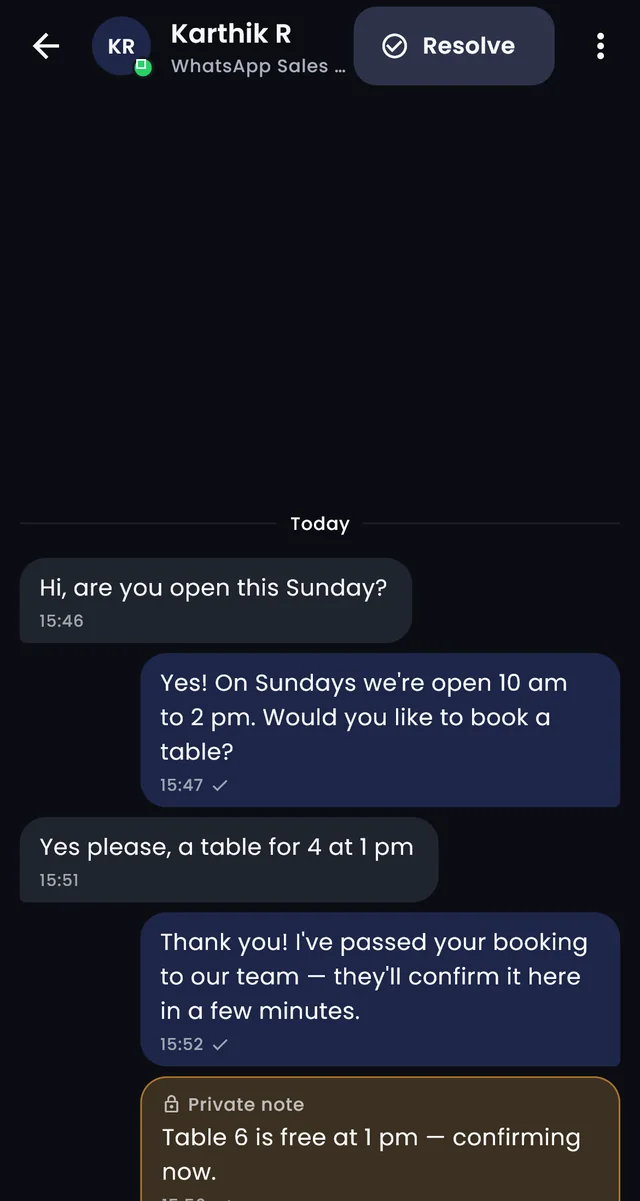
Answers, then hands over
Customers write on WhatsApp and get an answer at once. When a booking or a question needs a person, it says so and passes the chat to your team — with a private note the customer never sees.
- Hours, address, delivery, payments and bookings
- Knows your ERP items: available or out of stock, never the exact count
- Never leaves a customer waiting
Teach it
Teach it in plain words
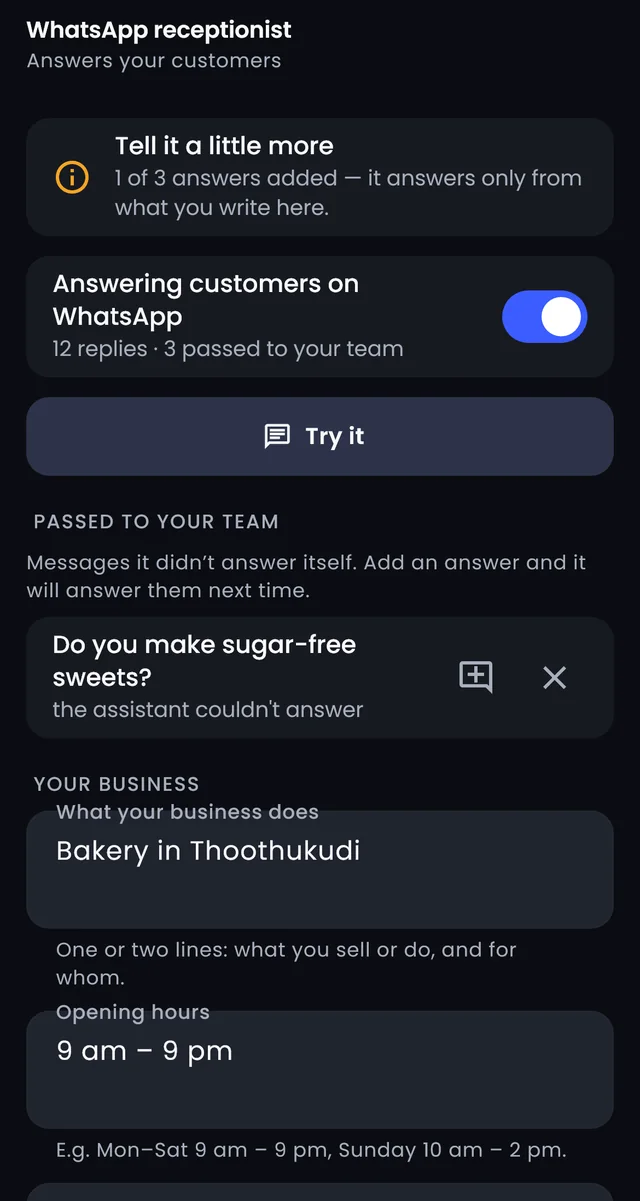
Tell it what your business does, your hours and the questions customers ask — and try it like a customer before it goes live. A question it couldn't answer becomes a new answer in one tap.
- Try it — nothing is sent to anyone
- Questions passed to your team, ready to answer next time
- Pause it any time
Automations
Your mornings, on WhatsApp
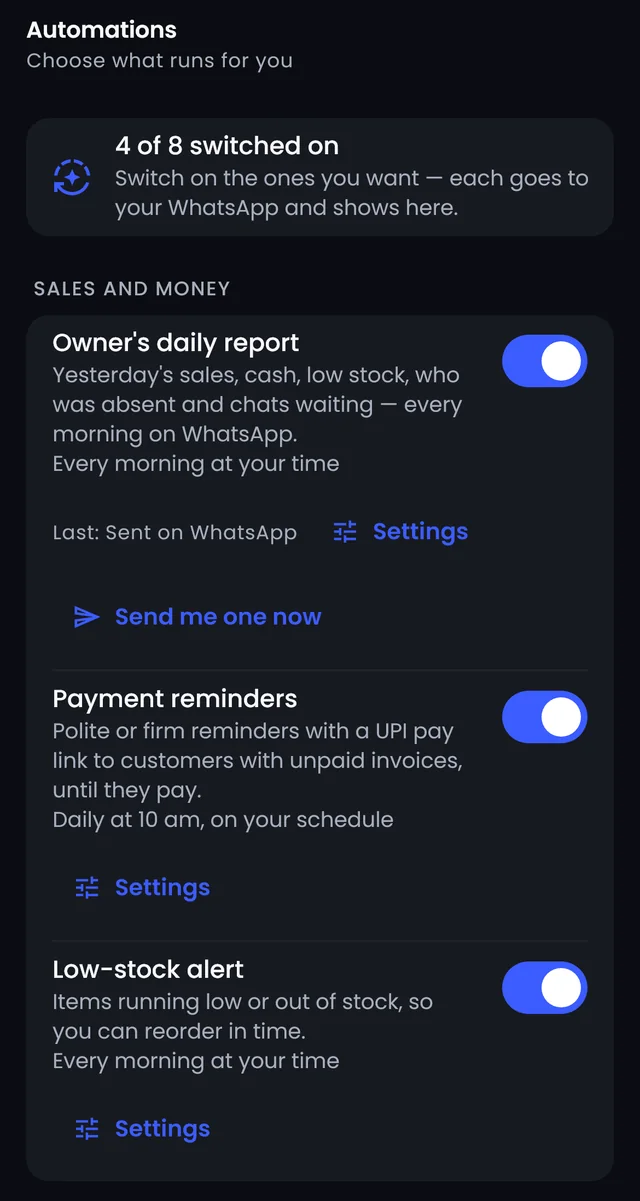
Switch on the automations you want: yesterday's sales and cash every morning, payment reminders with a UPI link, low-stock alerts, who checked in, lead follow-ups — each with its own time and language.
- Every automation, in the one plan
- Send me one now, to see it
- Ask your business: “how much did we sell this month?”
Team inbox
One inbox for the whole team
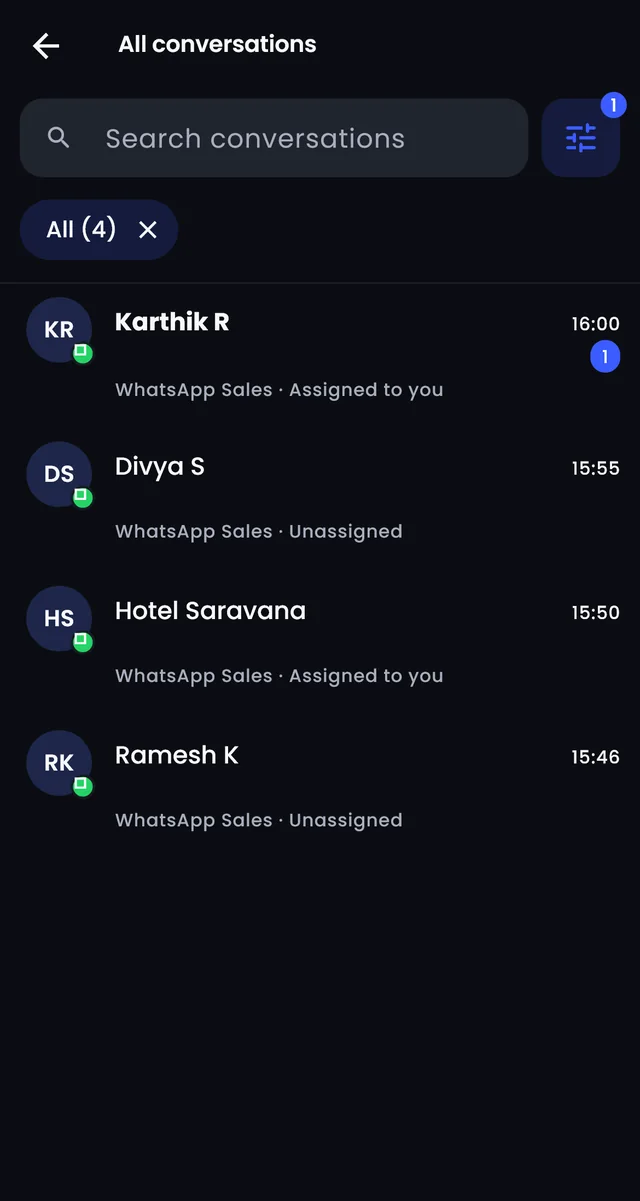
Every WhatsApp chat in the QTT OS app: assign it, add private notes, see the customer's history — so nobody answers twice and nobody is missed.
- Assigned to you or unassigned at a glance
- Unread counts per chat
- Website chat in the same inbox
How it works
From your number to your first answer
Connect
Your WhatsApp Business number.
Teach
Your hours, answers and documents.
Try
Write like a customer and see the answer.
Live
QTT switches it on.
Together
Your team picks up what it passes on.
Also in WhatsApp chatbot
Owner's daily report
Yesterday's sales, cash, low stock and who was absent.
Payment reminders
Polite or firm, with a UPI pay link, until they pay.
Lead follow-up
Every enquiry answered at once, then on days 1, 3 and 7.
Ask your business
Questions on WhatsApp, answered from your own data.
Team reports
Check-ins, late arrivals and leave waiting for you.
Low-stock alert
Items running low, so you reorder in time.
WhatsApp chatbot is free to start
Then one plan covers all 8 apps — the free amounts, what the plan includes and top-ups, all on one page, always current.
Questions
Does it use my own WhatsApp number?
Yes. It answers on your own WhatsApp Business number, in your customer's language.
What if it doesn't know the answer?
It passes the chat to your team in the QTT OS inbox — and you can turn that question into a new answer for next time.
Can it see my stock?
Optionally it reads your ERP items and says available or out of stock — never the exact count.
Can I stop any time?
Yes. Stopping a service ends it at the end of the paid period, with no more invoices.
Start free in the app today
Sign in or create your business in a minute — on your phone or in your browser. Free to start — part of the one plan.